
Features
Track your time by telling Jarvis about your day
Talk through your day in order — "slept at 10, woke at 6, went for a run at 6:30, back by 7:30, started work at 9:15" — and Jarvis turns it into time logs against the right tasks. No timers, no forms.
What you say, and what gets logged
Jarvis works out the start and end of each activity, files it under the task or routine it belongs to, and keeps a night's sleep as one entry even though it crosses midnight.
- One night, one entry: sleep that starts Thursday and ends Friday counts two hours on Thursday and six on Friday.
- Short gaps you did not mention are filled as personal chores, so the day adds up. Long gaps are left for you.
- "Last Friday" lands on last Friday, in your timezone.
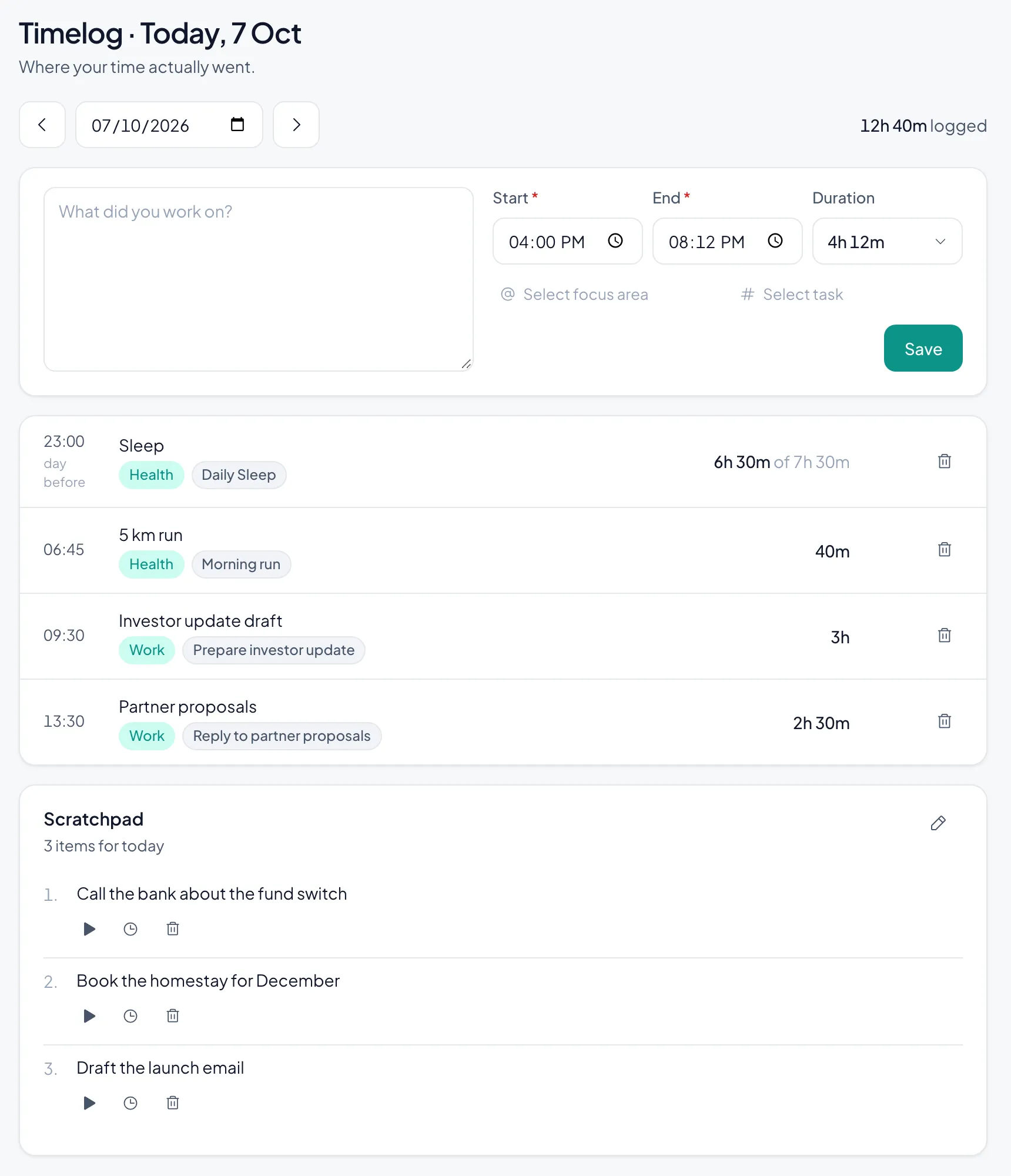
Or log it by hand, in one line
Prefer to type? The log form takes plain text with an @focus area and a #task, a start and an end. On iPhone, swipe a task and tap Log.
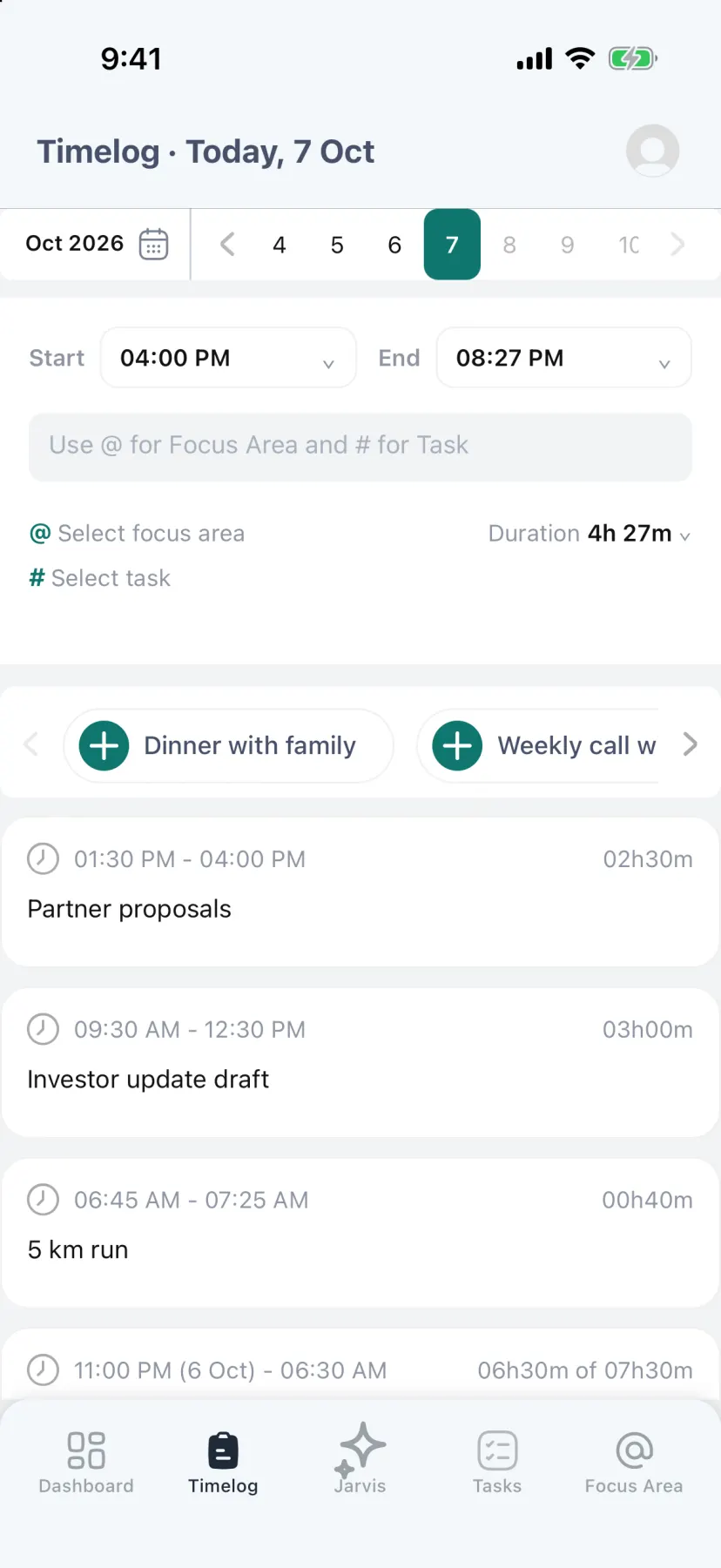
See where the time actually went
Your week, by focus area: entries and hours against the week before, a logging streak, days with nothing logged, and routines that have gone quiet — each with a one-tap fix.
Questions
- How accurate is voice time tracking?
- Jarvis uses the times you say. When you leave one out it asks rather than guessing, and every entry can be edited afterwards.
- Does talking to Jarvis cost money?
- Talking uses AI credits. Every account starts with 50,000 free credits — about 18 minutes of talking — and more can be bought; nothing renews.
- Can I log time without voice?
- Yes. Logging by form, by swipe or from the timer is free and does not use credits.
Read next: Pomodoro timer · Deep work · Pricing